Monday, February 24, 2020

Designing Schools for the 21st Century

What are some of the ideas, designs, and practical concepts to what a school should look like to help make learning, working, playing, and doing in the 21st century ... how this building helps bring out the inner capabilities of these kids is absolutely incredible.  These stimulus rich environments help these kids find their own passion which is critical to success in the 21st century. It takes an organized and creative teacher to lead the way - it could be you, if you've got the vision and creativity to change the status quo.

Image result for 21st century schools

PL@OISE

Go Get Ghotit

Ghotit

 Ghotit literacy software solutions help struggling writers and readers to improve their reading and writing skills. Ghotit allows children and adults to better cope with their reading and writing work assignments in both work and in school. The primary purpose and goal of Ghotit is to give students with dyslexia the ability to be successful in the classroom and minimize many of the struggles that they overcome each day. These learning challenges that dyslexic students face make tasks that some students find small much larger. Ghotit accommodates these students using the provided features so that students can demonstrate their understanding and continue their learning with less difficulty.
The Ghotit solutions are supported on a wide range of computers and devices:
  • Windows desktops, laptops, tablets and hybrids
  • Mac desktops and laptops
  • iPad and iPhone devices
  • Android phones & tablets
Ghotit provides users the following assistive services:
·         Text errors correction service
·         Word prediction service
·         Proofreading service
·         Reading services

Administrators and teachers must make themselves aware of the services that are provided to students who use Ghotit. They must be aware of how all of the services work and they must be aware of the accommodations that can be met for students who will use the technology. There are tutorials on how to use each of the services on the Ghotit website. Teachers should meet with each student who will be using Ghotit individually to ensure that each student is aware of the features that will most benefit them and provide them the best opportunity to be successful in the classroom in meeting their learning goals.

Students would benefit from Ghotit when they are writing an essay
o   Users who struggle with typing can be assisted with the word prediction service to increase their writing pace. A user who produces text with many spelling and grammar errors can utilize the text correction service to produce a text with zero errors. A user who needs to ensure that their writing is correct before submitting can run it through the proof-reader service to ensure that what they wrote is what they intended to communicate

o   When writing, giving students who need the services of Ghotit to use the tool rather than writing on paper would benefit struggling writers.

Students would also benefit from Ghotit when they are reading a book or an article
o   This tool can help students read any text by reading the text out loud sentence after sentence. When a word is read, dual highlighting is performed on the text. Both the sentence and the current word are highlighted and colored – to ensure easy tracking.

o   When working on reading and reading comprehension, a student who needs Ghotit could use the tools with headphones to accomplish the same tasks as all other students in the classroom that do not need Ghotit.

o   Teachers could also make Ghotit an accommodation for exams.

Kaitlyn@NU

Saturday, February 22, 2020

Carpe Diem


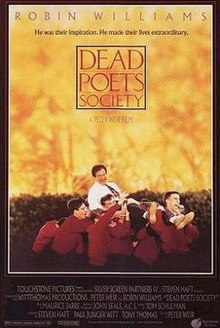
Image result for dead poets society

One of the best scenes in a movie.  Watch this clip (click the link).  After that, go stream the movie and watch it - you’ll see where 21st century learning and teaching can go. 

The scene is taken from "Dead Poets Society" where the students tribute to their teacher Mr. Keating (Robin Williams) who taught them think different, to seize the day (carpe diem) and to stand up for what is right.

The main character, (Mr. Keating) played by Robin Williams is a 21st Century teacher and what is even more incredible is that this movie was made oh soooo many years ago and yet so relevant today. 

Image result for dead poets society

What a fantastic performance by Robin Williams in this film - and the purpose and meaning behind it is a foundation, a mind-set and a paradigm shift that was the essence of my own teaching career.  So many of us were exposed to uniquely gifted and inspirational teachers when were in school - my Grade 8 teacher was my Mr. Keating. 

This movie is a reminder for us to do an ordinary thing extraordinarily well – bring a little bit of YOU into teaching and make the curriculum THE KIDS (put them into learning). 

Imagine where you can go with some creativity, personal and relevant experiences, passion, motivation, authentic meaning, critical thinking, communication, lots of collaboration, imagination, and just as important, have FUN! This is teaching and learning - make it about you and the kids with a little help from the curriculum and technology as well.

Gather ye rosebuds while thee may (Carpe Diem - seize the day):  


PL@OISE

It's Not Them, It's Us

Animal School (YouTube Video-Story)
A eye-opening reflection on how we view children and how we teach children in our current education system.  

              Image result for ask the elephant to climb the treee
Something has to change - we're just not providing our students with the opportunities to be successful.  

Image result for the animal school
It's not them - it's us!

CBS@OISE

Friday, February 21, 2020

Technology in the classroom? YES!

Technology is EVERYWHERE. Almost every part of today's society has technology embedded into it, one way or another. Schools and teachers should adapt to the ever-changing world in order to provide their students with the best level of education they possibly can. Thus, it's important that they learn to effectively implement technology in the classroom. 
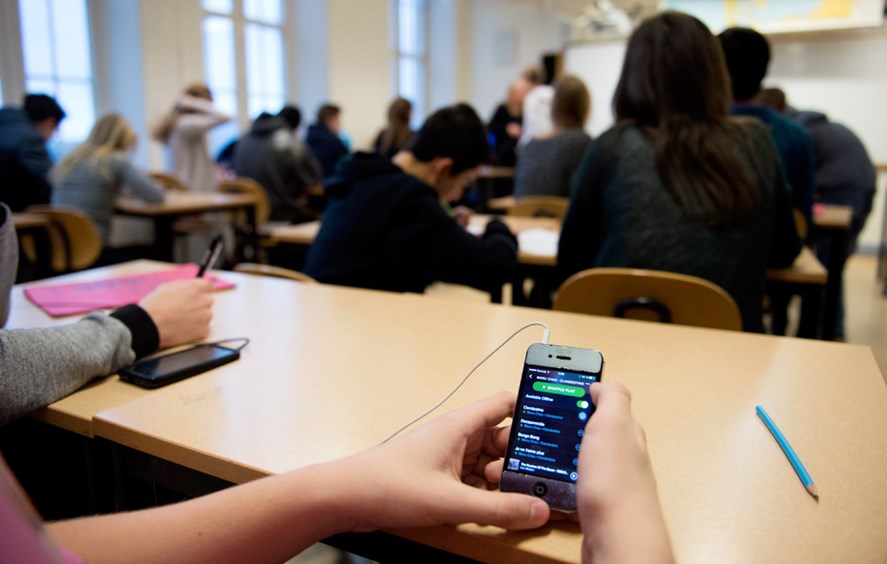
Recently, there was a cell phone ban in Ontario. In my opinion, this shouldn't be the case. In the current society, cell phones are an essential part of life now. Children need to be taught how to use them properly, not that they shouldn't be used at all. When they grow up and go out into the workforce, they will need to have self-control and know when and how to use it. Giving them that guidance would be more beneficial than banning them from schools, in my opinion. 
Furthermore, if phones and other technology are used appropriately, they will help children prepare for their future careers. Integrating technology into the classroom is also a good way to get the students accustomed to various learning styles.  
All in all, I believe that with the ever-enhancing world becoming so technology-based, it's important to integrate it into the classroom.
Image result for cell phone in the classroom

Shailja@NU

Let's Talk About "MyTalkTool"

The benefits of technology in the classroom is becoming clearly evident to us as a society. However, something that is not talked about nearly as much is the use of technology in special education. Assistive technology can help break down the barriers for people with disabilities and allow them to reach their full potential.

In particular, an application I discovered called MyTalkTool is a phenomenal app that  is helping to make the school environment a more suitable environment for students with special needs and disabilities. MyTalkTools is a next generation AAC app (communication app) that helps people with communication difficulties say what they want with sequences of words, sounds and images. ALS, cerebral palsy, autism, traumatic brain injury, stroke or Parkinson's disease are a few examples of diagnoses that may hinder an individual's ability to communicate. A bit of background about the app is that MyTalkTools was created for the creator's son, Michael. He was born with Nager Syndrome, a rare condition that affects hearing, speech and other faculties.  They tried several communication tools, but we were never fully satisfied. They found that it was difficult to personalize the content on the applications. It was hard for Michael to express needs and feelings, much less his true personality. When he would meet someone, the AAC device drew negative attention. The very tool that was supposed to connect him to the world was helping to isolate him.

When the iPhone came along they saw a smart, affordable solution. The iPhone was familiar and fashionable. The design eliminated the stigma of traditional communication devices. This is huge in a school environment, as younger children do not want to feel "singled out" or different from their peers. Students can choose from a variety of images, symbols, videos or text to speech audio files to communicate what they would like to say to their teachers and fellow classmates. Not only does applications like MyTalkTookls help children do better in school, but it gives them a greater quality of life and psychological motivation to be there alongside their peers.


CatherineC@NU

Thursday, February 20, 2020

Are You a Mover?

How to Escape Education's Death Valley

Sir Ken Robinson outlines 3 principles crucial for the human mind to flourish -- and how current education culture works against them. In a funny, stirring talk he tells us how to get out of the educational "death valley" we now face, and how to nurture our youngest generations with a climate of possibility.

Image result for escaping education's death valley

Education is about people and your job is about people. Education is dormant right now - yet, there are seeds of possibility for people to flourish.  If the conditions are right, the possibilities are boundless, even for flowers to grow in a desert.  

Image result for how to escape education's death valley

It's up to you to move education out of Death Valley ... One day at a time, one class at a time, one student at a time. Be a mover. 

Don't ever forget that - Are you a mover?

JM@NU

Teachers Make a Difference


CBS@OISE

QuizStar - Shine On


Let your students SHINE with QuizStar!    


With technology becoming more prevalent in our classrooms, we can eliminate the need for paper tests with a web resource called QuizStar. 


QuizStar is easy to use and allows you to create a wide range of quizzes for your students, including multiple choice, true or false, and short answer quizzes.  In addition to creating simple sentences you can also attach multimedia files to questions.

This is a great way for students to reflect on an educational video or audio piece. Creating easy to use online quizzes is not the only benefit of this tool: 

     o It can be customized to reflect multiple languages 
     o   There is automatic online grading.  Making grading quick and easy! 
     o   You can manage classes and quizzes

Quizstar allows you to review results by class, students or questions making it easy to find what you are looking for and best of all it's free to use!

Interested? - Visit the site and go for it:

DaniellaB@NU

‘Today in History’ App


'Today in History' App:
Get Inspired and Make Learning Intriguing

Technology is quickly becoming increasingly popular with students and more prevalent than ever before in elementary school classrooms. 'Today in History' app is an easy app to navigate where students and teachers can access a variety of headlines, quotes and spectacular images of important historical events and notable people through history. If students have an assignment on a particular topic in history, they can easily find it on the app and customize their settings to get updates on the specific material that interests them. 

The best is that this app is absolutely free and accessible by all phone users and is therefore perfect to use in classrooms! If students have access to their own piece of technology, students can download this app on their phone or tablet and can take the historical learning outside of their classroom and into their homes. One of the many momentous historical facts that I discovered was on June 11 2008, Stephen Harper made an historic official apology to Canada's first nations regarding their century long residential school abuse where young children were removed from their families, native languages and exposed to physical and sexual abuse. 

 It is quite fascinating to see significant Canadian events as well as events from all over the world that should never be forgotten. Endless amounts of valuable, informative and educational information are compressed in this one single app. Elementary school teachers can easily be inspired to teach a specific topic they come across on this app and discuss it with their class. Whether you're in elementary school and need to figure out what to write for a history paper, or a teacher discussing world history to your class, this app is suited for everyone!
 DaniellaG@NU


Mentimeter: Let’s Hear Your Opinion!

As technology becomes more and more popular amongst students in today's society, it is important to incorporate tech into teaching to ensure the students are fully engaged in their learning. 

Why not use Mentimeter to do that?

Mentimeter is an easy-to-use presentation software for leaders, educators, and students that is interactive, engaging and fun! This website allows you to build interactive presentations with the online editor where you can add questions, polls, quizzes, slides, images, gifs and more to create mind-blowing presentations! 

When you present, the students can use their smartphones or laptops by simply entering a code to connect to the presentation where they can answer questions, give feedback and much more! Mentimeter allows students to visualize their responses in real-time right on the presentation screen to create an exciting and interactive experience. 

This website can also help with assessment because once your Mentimeter presentation is over you can share and export your results for further analysis and even compare data over time to measure your students progress! 

Best of all... it's Free (pro-package which requires  a small monthly fee). 

Either way, Mentimeter is a spectacular resource to use in the classroom!

For more information please visit:  https://www.mentimeter.com/

SamanthaM@NU

Hop into Learning with Brain Pop!

Brain Pop is an animated educational website for students which includes information on a variety of subjects such as Science, Social Studies, English, Math, Arts, Music, Health, and Technology. This website can be used by students of all ages. There is a variety of research and studies that discuss the effectiveness of Brain Pop, how it works in practice, and how games support learning.  

Although this website can be quite costly, it is totally worth it!

                                 
About Brain Pop
It's a trusted learning resource supporting core and supplemental subjects available to millions of learners worldwide.  Expanding learning tools can help students create, construct, and collaborate as they explore the world.

Brain Pop is …

Playful
This site is filled with a variety of engaging and interactive learning games, videos, quizzes and activities that support students unique learning paths. 

Educator- Focused
Supports teachers' methods of teaching and is shaped by students and educators in diverse learning settings.  
Reflective
Allows students to reflect, connect and engage in their learning by making learning visible.  

Global
This site is translated into multiple languages such as French and Spanish and also touches upon a variety of universal topics. 

For more information please visit:  https://www.brainpop.com/  

SamanthaM@NU

TikTok: “Renegade” your way through the curriculum!


Do you ever have a 'dry' lesson that you're desperately wanting to 'spice' up? Why not turn it into a video? Tiktok is a video sharing app that allows anyone to make an account and post videos on the content of their choice. This app has become very popular with students all around the world. They enjoy watching the videos that other people post and even joining in and making their own. Teachers may even observe their students creating these videos in their free time. Why not change this popular hobby into a classroom tool? Some teachers have already started incorporating this app in their classrooms! 

                      Image result for tiktok


This app can be used by the teachers themselves or even the students. Teachers can create their own accounts to explain a concept in an entertaining way, give students tips that may be useful in their classroom or to create a fun environment by including their interests into the curriculum! Teachers can also allow students to use this app when presenting a concept to the classroom. This allows students to use their creativity and explain their thinking in a different way. Not only will this provide students with options in the classroom, but it will help them look forward to learning and to become more engaged! Students appreciate when teachers learn about their interests and try to incorporate them in the classroom. 

Although this app may be beneficial in the classroom, it may potentially create some issues that can arise that teachers want to avoid. Teachers must be aware of what their students are posting and ensure that they are using the app on school time for educational purposes only. Teachers may also want to aid their students when creating their profiles to ensure that their settings are put on ‘Private’ so that their material can be viewed by their classroom only.

Image result for tiktok

Although this app is popular for a wide range of ages, it is suggested that this be used for students 12 years old and up. Like all technology, make sure you are taking the necessary precautions to ensure that it remains a fun tool for all students!    

AlessiaB@NU

Teacher’s Assistant Pro: Making Communication Easy!


Many teachers use programs and applications to record their students grades and calculate them. Wouldn't it be convenient if we could find an application that did this and so much more? Teacher's Assistant Pro is a great resource that can be used by teachers in the classroom. This app can be used to record not only students grades, but their behaviour, attendance, birthdays and so much more! It is available through the app store on your phones or iPads, so it is accessible at any time of the day!

This application allows teachers to create profiles for all of their students. These profiles contain information about the students and how to contact their parents. Within these profiles teachers can document their grades, their behaviour towards their classmates and if they are prepared to learn. The best part of this application is that it allows teachers to share any of these changes directly with the students' parents! This allows teachers to create an open communication with their students' parents. This ensures that the parents are being updated on how their children are doing academically, what kind of day they are having and how they treat their classmates. 

Although this application is beneficial, you have to unfortunately pay a price to use it. This application comes with a free trial option that allows you to navigate the app and explore its features. If you are satisfied, you can then purchase Teacher's Assistant Pro for them small price of $8.49. Just $8.49 for a tool that can help you make communication easy throughout your teaching career! 

AlessiaB@NU