Wednesday, February 5, 2020

An Assignment Using Instagram

Teachers in the current day need to keep up to date with the newest technologies that students are using in order to successfully integrate them into classrooms or class curriculum somehow. It is known that when something is of personal interest, there is much more motivation to do it. Using certain technologies that create interest can help facilitate "natural" learning.

Here is an example of a project that can be done using the Instagram App, that is likely to generate interest amongst students and create initiative. Perhaps permission from parents may be needed first, however it can use other apps such as Twitter or FaceBook as well.

The instructions are as follows: (Grade 6 students, social studies)

- Create a page where you act as a tour guide to one of the Canadian provinces or territories.

- Provide at least 5 posts where you include a picture in each post of somewhere or something in your province and a caption which describes it adequately.


- Your goal is to convince followers to visit your province or territory, using its natural beauty, landmarks, and history. 

Get the App or go to https://www.instagram.com/

Image result for instagram

Francesco@NU

Have You Heard Of Seesaw?

For those of you who have never heard of Seesaw, it is a technology that allows teachers and students to record and share their work on digital portfolios. Seesaw is an app that was developed in 2013 and is now used by teachers in their classrooms. How does it work? Each student is given a digital portfolio on this app where they are able to document their learning. With this app, students are encouraged to incorporate technology in the classroom. Students are able to take pictures of their work, record videos, capture learning and post it on their individual portfolios. Students will be able to access this app at school on computers or iPads. 

What is the role of the teacher? When using this technology with young students, teachers will have to approve content prior to students being able to post it for others to see, as well as introduce this app to parents. Teachers will also have to invite parents to join the classroom on the app and make them aware of the app. Teachers should encourage parents to participate in the use of this app and give parents informational flyers on how to use the app. Seesaw is also a simple way for parents to communicate with teachers and see what work is being done in the classroom. Seesaw can be accessed and downloaded on any electronic device that can connect to the internet (Computer, Android etc). A great bonus of this app is that it is free for parents, teachers and students and can be downloaded to their electronic devices at any time. 

Seesaw has some great advantages. It fosters the home-school relationship's, it helps maintain communication with parents in regards to a child's academic achievement in the classroom, provides an opportunity for students to experience technologies in the classroom etc. I have had great experiences with the Seesaw app as parents have expressed their love for the app as it gives parents an in 'real-time' glimpse into the child's classroom. It helps parents support their child's learning by knowing about what's actually going on and being 'on top' of their child's education. Furthermore, parents are also able to comment on their child's work and keep open lines of communication open between parents and teachers.

Image result for seesaw app


Victoria@NU

Create a Word Search

/Image result for word search labs"
Word Search Labs is the simplest way to build, print, share and solve word searches online. Three easy steps:
  1. Enter your word search settings on this page and click "Preview".
  2. Verify that your word search looks good, and save it (if you need to make changes, click the "Edit" button).
  3. Enjoy your word search.

You can print it out, solve it online, and even share it with your friends (they can do the same - print it or work online.

Get started right away - visit the site at:  https://wordsearchlabs.com

CBS@OISE

Tuesday, February 4, 2020

Podcasts in the Classroom

Students can create podcasts in the classroom as a part of their learning. Ideas that students or a classroom can use for a podcast is a weekly classroom news broadcast, document field trips and activities, recording class discussions, sharing reviews, conducting interviews and reviewing curriculum or concepts that they are learning. 

Podcasts would be a fun and engaging way that students can collaborate and share their learning, while adding their own creativity to it. Students can showcase their personality and become a host and content expert. Podcasts can be done individually or in pairs or groups at any age. Teachers can also use podcasts as a form of assessment, as they will be able to access them and review what students have learned. 

Podcasts also give teachers the luxury to listen to a student's work while on their commute or multi-tasking. 

Applications such as GarageBand on Apple products is a great source to start. Teachers can also access a software through Soundtrap that also allows the podcasts to be shared within Google Classroom.

Here is a link to SoundTrap:  https://www.soundtrap.com/edu/

Ravina@NU


ABCYa

The educational, easy to access website ABCYa provides students and teachers with hundreds of fun, educational, and effective games for children in grades Pre K through grade 6. These games are created by parents and educators who recognize the fact that children learn more effectively if they are having fun. This website is useful for educators, as well as parents, as it can be incorporated within school and can also be used in the comfort of their own home. Children/students are able to easily access this website, as you simply type in the link and you are ready to play!

These online games are categorized by grade and further by subject. Focusing on the subjects of math and language arts, this website covers a variety of topics that evokes enthusiasm from each student, as it provides a safe and enjoyable environment for all students. Some of the math topics the website/app covers are counting, geometry, fractions, probability, multiplication, and more! ABCYa also provides engaging language arts games and activities that focus on topics such as spelling, vocabulary, pronouns, nouns, verbs, and etc.. I believe that this website is beneficial to incorporate within the classroom, as it provides students a variety of subjects that reach all learning styles. The website itself is visually appealing, due to the abundance of colours used, as well as animation characters. Also, each game that the child selects provides them with a sound with matches the activity which was selected. For example, the games titled "How Many Marbles" requires students to estimate how many marbles are within the jar. The game allows you to rotate and move around the jar which provides the player with the sound marbles would make if you were doing this activity 'in real life'! This concept is beneficial for students, as it keeps them engaged.

Nonetheless, ABCYa is an engaging student geared website in which enables students to practice their reading and math skills through an interactive and engaging application. It fosters a positive learning environment, as children do not realize they are learning while playing such interactive games.

JessicaD@NU

Generator: Crossword Puzzles

Crossword Labs is a "Generator". It is the simplest way to build, print, share and solve crossword puzzles online.

It's free, fast and easy. Got there and just do it.  EASY!!

No ads, no watermarks, and no registration required.

Over one million crossword puzzles made and you can access the ready-made puzzles by typing in your key word(s) - That easy!

Image result for crosswordlabs"

                      Visit:  https://crosswordlabs.com/

CBS@OISE


Jeopardy Labs


Image result for jeopardy labs"

JeopardyLabs allows you to create a customized jeopardy template without PowerPoint. 
The games you make can be played online from anywhere in the world. 
Building your own jeopardy template easy. Just use our simple editor to get your game up and running.
Go to:

Find a Jeopardy Game on Any Subject - search "All Jeopardy Templates" by typing in your topic and voila, you've got a Jeopardy Game ready to play.
Not interested in creating your own jeopardy game? - Well that's cool too. You can browse other jeopardy games created by other people.
valentine Football school French nature fruit animal christmas food New year Jobs Holidays multiplication FARM toys time capital cities alphabet chinese Money verbs abc family camping winter birthday bible ice breaker space fitness    CBS@OISEAll Jeopardy Templates

You Should Get to Know "iknowit"

Image result for iknowit"
Teaching with technology is so important in today's day and age because the world is moving towards a more technology-based approach. The elementary students who are in our classrooms today are going to have to know how to navigate through a technology-based world. Thus, incorporating learning through technology is a crucial part of education today, even though it wasn't when we were in elementary school.
There are many online platforms that allow students to learn and engage in their education. One such platform is www.iknowit.com
This website has math lessons, homework questions, practice quizzes, etc. for students from kindergarten-grade 5. Teachers can create class rosters, assign lessons and track student's progress all through their online database. It's easy to understand and easy to navigate for students as young as 4 years.  
The site enables teachers and parents to differentiate assignments for students allowing them to work at their own level and pace towards mastery of concepts and skills aligned with common core.
Furthermore, there is free teacher training and free data entry for teachers to assess their students. There are school memberships available with their own perks and useful tools. 
Shailja@NU

Doodle Buddy Application


Doodle Buddy requires
: iOS 9.3 or later. It is compatible with the iPhone, iPad, iPod touch, Mac Desktops.  Works best on the iPad ... So much fun!

Languages Available: English and French

Age Rating: School-Age Children

Price: Free

So ,what is it? Are you feeling anxious? Do you need to doodle? Do you want to bring out your most creative attribute! Look no further!

Draw on your own pictures or dozens of backgrounds that are included in the application! Over 2000+ stamps to decorate your pictures! J 


Doodle buddy became the most popular drawing app in 2009!

Make it fun and easy! Instead of getting your fingers messy you get to create amazing works of art that you can share with your friends and family no matter what age you are!

Why Doodle buddy? Thousands of backgrounds, stamps, colours, stickers, animation to add to your drawing and it is free!


Why is it great for a school environment? I have personally used Doodle buddy in my classroom and it was exceptional. All the students were very engaged, as they were able to use their own imagination to create their piece of art. This is also a very inclusive application as every student can be engaged with it! You dont have an iPhone? No worries you can use a regular PCbut instead of using your fingers you can use the mouse! You dont have a PC or a Mac! Take a trip to your local library

Disclaimer: You may become addicted! A student with autism who I worked alongside with for approximately 2 months absolutely loved it! Anytime he was frustrated, I knew this App would calm him down! Which it also did for me as well!

Go to the Doodle Buddy Labs to watch videos on Doodle Buddy and you can even download from this site.  Enjoy doodling!


Sara@NU

Monday, February 3, 2020

Who Wants to Play Jeopardy?


This Instant Jeopardy Review Game has been designed and dramatically improved to make it the perfect review game for a wide variety of classroom uses. This tool is a fun and interactive way to review content in your classroom, meeting, conference, or other group setting.
The new and improved version of the Jeopardy Review Game includes the following features:
  • Simple insertion of pictures on Question and/or Answer slides
  • Full support for symbols, such as exponents and wingdings style fonts
  • Better support for foreign language Question and/or Answer slides
  • Simpler visual editing process
  • Embed anything in your question slides, even Youtube videos, flash objects, etc.
  • Simple scorekeeping system
  • Works on portable devices such as smartphones, iPad, and iPod Touch!

You can go to - http://www.superteachertools.us/jeopardyx/


CBS@OISE

Geo Guesser - Explore the World

 Image result for geoguessr"
I am interested in finding educational apps/websites that can be integrated into a classroom lesson plan or for students to explore independently. After reading Jennifer Gonzalez's Blog, 6 Ed Tech Tools to Try in 2019, I found one of her recommendations to be interesting for students to play as it welcomes diversity as well as cultural awareness. Geo Guesser places the learner in a random remote area of the world on google maps and students have to find clues to guess where they are. Students need to pay attention to landscapes, architecture as well as language, in order to form an educated guess on what country they are in. Students collect points based on how close their guess is to the correct destination.

This website exposes students to diverse areas in the world where they are able to note similarities and differences from where they currently reside. Students may become interested to learn about certain parts of the world and this could spark an interest in an area they may not have known otherwise. Furthermore, using this website allows students to become computer literate, as well as develop their researching, decision making and team work skills. Students should be given an opportunity to explore while they learn and this website allows them to do just that. Educators can use this website in multiple ways depending on what they feel is best for the class. It can be used as an introductory to a new unit or to create a friendly competition between classmates using the points earned when guessing a location. Geo Guesser is a fun and stimulating educational tool to use for students and can be explored in the classroom as well as home.

https://www.cultofpedagogy.com/ed-tech-tools-2019/


https://geoguessr.com/


Samantha N @NU

TumbleBook Library - Reading Can Be Even More Fun


Image result for tumblebooks"
TumbleBook Library is an online library of e-books available to all students, parents and teachers with a subscription. This website is filled with TumbleBook which are animated, talking picture books that come in a wide variety of subjects. Individuals using the website are able to choose from fiction, non-fiction, subject specific stories and read-alongs. 

These books are constantly being updated and refreshed. The idea behind this website is to be an easily accessible resource for kids who are interested in technology. The purpose is teaching kids to enjoy reading in a format that they love. 

At my placement, my associate teacher would use this platform during their snack and lunch period. The students would take turns picking their favourite book and it would get all of the student's attention. There are also options to stop the book and repeat words or sentences that may need to be emphasized. This was easy for the teacher to set up and something that the students enjoyed using.

Check out the site for free entry and hours of enjoyment: 


CassandraF@NU


To Help You Engage - You Could Use VENNGAGE

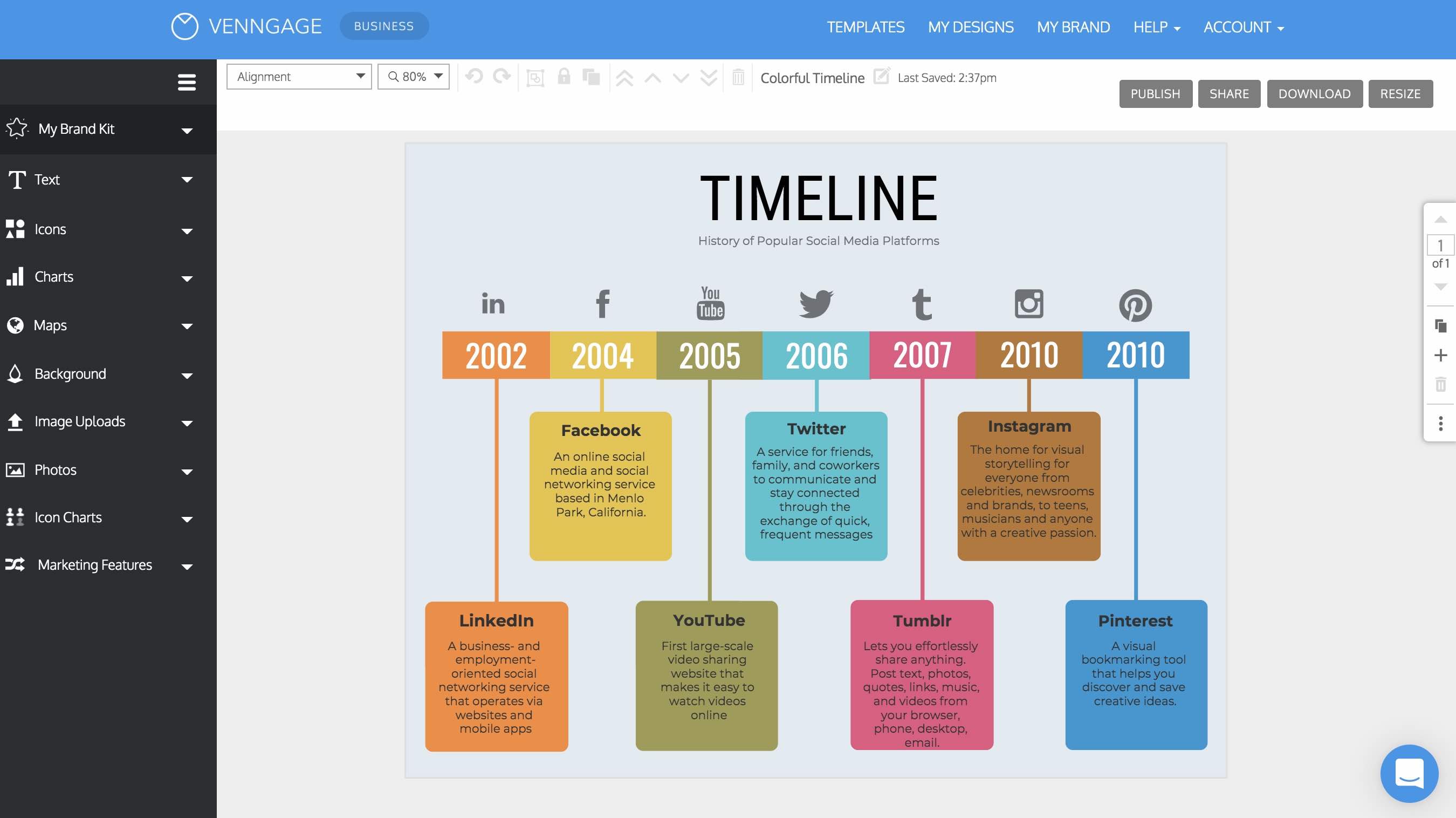
Venngage is an easy to use website where the most design-inept can create stylish content for websites, presentations, ads, social media use and much more. 
There are templates for a wide range of projects including infographics, reports, posters, promotions, mind maps, and social media images.
Check out the YouTube video:  There are a whole bunch of videos to help you, if you need help.  Pretty easy to use.

https://www.youtube.com/channel/UC7U3tfIOhOkitolHHOy3JAg

Image result for venngage"

Also, you can visit their official site and sign up ... use FaceBook or Google - EASY, EASY, EASY!


   CBS@OISE

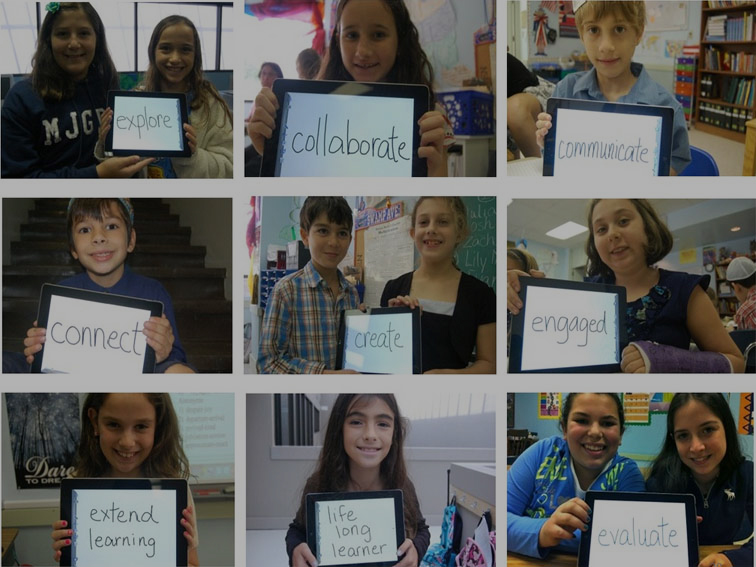
iPads in the Classroom are Not All Bad

IPads have recently been a popular household appliance due to today's world of technology. IPads have also been integrated into classrooms to enhance learning techniques. Many children today love using iPad in a classroom as a way to learn but there are also some downfalls to this tool.
Studies show that there is a high percentage of students that struggle with the use of iPad in a classroom due to distractions and schooling funds. Some schools do not have the budget to have multiple technology devices like iPad for every student, which create conflict and lack of inclusivity in the classroom. Also, educators must be tech-savvy and have the ability to use such devices so that complication and or malfunctions do not occur. If such glitches take place educators must know how tomodify their lessonassuring that every student is on the same page.
Another issue that may detrimentally affect the ways in which iPads are integrated into the classroom are students not having access to such applications at home. This may have a negative effect on students because they may fall behind in the curriculum creating other issues. As future educators we must be aware of these issues and find every way in our power to not let them affect our students. 
IPads in the classroom are not all bad. They are a way to make lessons more interactive and can keep students more engaged. Teachers can use IPads in many ways, from having an app that will help their students in math to virtual reality apps such as dissecting a frog. Overall, it is clear that iPads can be beneficial and have some downfalls to a classroom setting. However, as future educators it is our job to incorporate such devices into our classroom and help our student succeed in this tech-savvy world. 

Image result for ipads in the classroom"

For more information, click the link below: 

https://www.focuseduvation.com/using-ipad-classroom/


JessicaD@NU


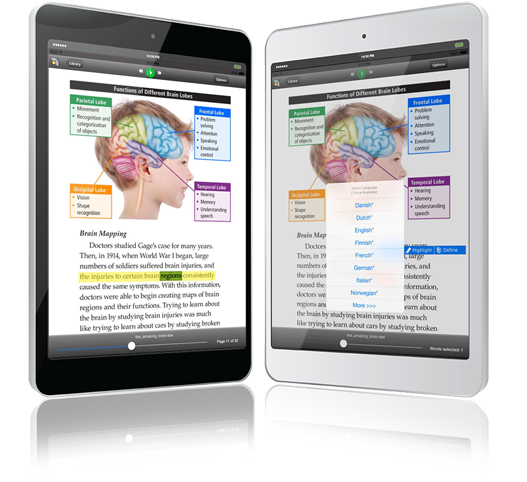
Kurzweil 3000 Education Software

Kurzweil 3000 Education Software

Before
having Kurzweil 3000 to help me with my studies, there was this huge disconnect. Trying to understand what I was reading and trying to get through the readings assigned in a timely fashion, was almost impossible. Being introduced to Kurzweil 3000 helped to provide me with this sense of independence in my reading and comprehension that I have never felt before. 
With Kurzweil 3000 you can access the tools you need, such as highlighters, sticky notes and more, in one environment and it can even be used in offline mode, which has been incredibly helpful when I’m in areas without internet. As a student who has suffered with Dyslexia throughout my educational journey, having Kurzweil 3000 in my post-secondary studies has been paramount for several pages of readings, with the option of using the text to speech feature, as well as, the talk to text feature for writing papers. Kurzweil 3000 offers their users a wide variety of voices, languages and speeds when using the text to speech option, which makes getting through a lot of text, a breeze.  As a future educator, the thing I love most about Kurzweil is that it’s based on Universal Design for Learning (UDL). It is easy to set flexible goals, and create great assessment options. Knowledge and understanding has never been so easy, resources are now just a click away. Sharing files between others who are using Kurzweil 3000 can be done using the cloud based library, which is great for group or in class work. 
If students need to research, Kurzweil 3000 can take any text in pdf and turn it into searchable, accessible text which makes using scholarly articles or websites less daunting. Kurzweil 3000 really is your all-in-one software program allowing you to read, write, create concept maps, and use a wide variety of templates, study and more, without having to have different tabs and windows open all at once, creating unnecessary chaos.
Image result for kurzweil 3000" 

    Katt@NU

Sunday, February 2, 2020

SMART Boards: Enhance Your Classroom's Learning

SMART Boards have been around for many years and are becoming increasingly popular within more classrooms. I remember when I was in grade 8 when SMART Boards were being installed in our classrooms. We were all so excited and they were replacing traditional blackboards everywhere. Learning for us was now more interactive and the possibilities were endless.


SMART learning technologies have three goals for students. One goal is to encourage students to connect. With SMART Boards every student is able to collaborate and contribute in the class. Goal number two is to reach every learner by making interactive lessons and matching individual students learning needs. Three, it makes learning personal and allows the freedom for students to learn in their own way.
With all these great benefits we have to ask, so what is the problem? The issue with SMART Boards is although more schools are installing them in their classrooms most schools cannot afford this device. SMART Boards can range from $1500 to $6500 depending on the model. Plus, the additional costs of the components such as the interactive pens and erasers needed to "write" on the Board. Not all schools have the opportunity to create a technological learning environment for students. 

In my personal experience working in various schools I can see the difference in teaching with and without a SMART Board. A teacher I was working with did not have one in her classroom and was just trying to show a video on the laptop - then connecting it to the projector took up a lot of her teaching time. Also, if a supply teacher is unfamiliar with the technology, it may be difficult to teach in that classroom with all traditional white boards and chalk boards removed.

Image result for smartboard"

As future educators we must be aware of new technology such as SMART Boards and how to integrate them within our lessons.


For more information on SMART Technologies visit: 

https://www.smarttech.com/Education


Alexandrea@NU 

Saturday, February 1, 2020

Electing a US President

Commoncraft Videos

Commoncraft produces short animated videos that explain things in simple and easy-to-understand language.  

Each video is 2 to 4 minutes in length and explains a topic, procedure, or how to use something in plain English.  Click on a topic of interest and watch, learn, and enjoy.


Click the link below to take you to the Common Craft video on electing a US President.
                             Electing a US President in Plain English

For more information, click the link:  https://www.commoncraft.com/

"Making learning easy"

Image result for commoncraft"

                                            
CBS@OISE

Assistive Technology is Good - Why?

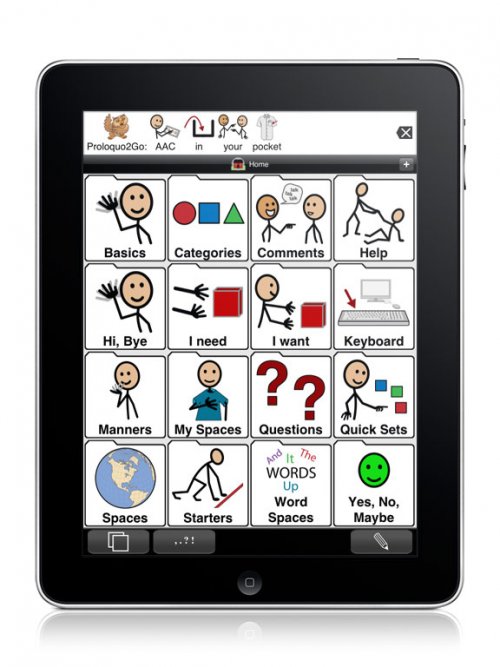
Image result for prologo assistive technology"
The article (link provided at the bottom of this post) summarizes many great examples of why Assistive Technology is an excellent tool for learning. It explains how children's education can be supported through the use of technology to meet the curriculum requirements, and provide learning opportunities.
                                                             
Through my personal experience, I have experienced the benefit of using Assistive Technology for a child with a communication disorder. My son has used (Proloquo), which is a communication device with pictures and words that once click on the image it speaks; also, there is an option to create sentences.                                                                       
Proloquo has many categories and subcategories used in everyday language. For example, under the "Food" categories, you be able to find many types of vegetables, fruits, meats, etc. Another great feature is that you can add more words as the child's vocabulary expands.

My son was not able to speak for six years of his life, so this was an excellent way of communication. He could express his feelings and thoughts; also at school, he was able to participate in a conversation with his teachers and peers. I strongly recommend using any Assistive Technology Tool to help your child succeed in their journey of learning, and achievement of every milestone.

For the article, click the link below:

Also, you can visit this site for Proloquo information:


Izabela@NU

Friday, January 31, 2020

ISTE Standards for Educators


 ISTE STANDARDS FOR EDUCATORS
The ISTE Standards for Educators are your road map to helping students become empowered learners. These standards will deepen your practice, promote collaboration with peers, challenge you to rethink traditional approaches and prepare students to drive their own learning. Connect with other educators in the ISTE Standards Community and learn how to use the standards in the classroom with the ISTE Standards for Educators ebook.
EXPLORE THE EDUCATOR STANDARDS
Learner
Educators continually improve their practice by learning from and with others and exploring proven and promising practices that leverage technology to improve student learning. Educators:
2
Leader
Educators seek out opportunities for leadership to support student empowerment and success and to improve teaching and learning. Educators:
3
Citizen
Educators inspire students to positively contribute to and responsibly participate in the digital world. Educators:
4
Collaborator
Educators dedicate time to collaborate with both colleagues and students to improve practice, discover and share resources and ideas, and solve problems. Educators:
5
Designer
Educators design authentic, learner-driven activities and environments that recognize and accommodate learner variability. Educators:
6
Facilitator
Educators facilitate learning with technology to support student achievement of the ISTE Standards for Students. Educators:
7
Analyst
Educators understand and use data to drive their instruction and support students in achieving their learning goals. Educators:


JM@NU

The ISTE Standards for Students


 ISTE STANDARDS FOR STUDENTS
Today’s students must be prepared to thrive in a constantly evolving technological landscape. The ISTE Standards for Students are designed to empower student voice and ensure that learning is a student-driven process. Connect with other educators in the ISTE Standards Community and learn how to use the standards in the classroom with the ISTE Standards for Students ebook.
EXPLORE THE STUDENT STANDARDS
Empowered Learner
Students leverage technology to take an active role in choosing, achieving and demonstrating competency in their learning goals, informed by the learning sciences.
2
Digital Citizen
Students recognize the rights, responsibilities and opportunities of living, learning and working in an interconnected digital world, and they act and model in ways that are safe, legal and ethical.
3
Knowledge Constructor
Students critically curate a variety of resources using digital tools to construct knowledge, produce creative artifacts and make meaningful learning experiences for themselves and others.
4
Innovative Designer
Students use a variety of technologies within a design process to identify and solve problems by creating new, useful or imaginative solutions.
5
Computational Thinker
Students develop and employ strategies for understanding and solving problems in ways that leverage the power of technological methods to develop and test solutions.
6
Creative Communicator
Students communicate clearly and express themselves creatively for a variety of purposes using the platforms, tools, styles, formats and digital media appropriate to their goals.
7
Global Collaborator
Students use digital tools to broaden their perspectives and enrich their learning by collaborating with others and working effectively in teams locally and globally


JM@NU

How Can Educators Stay One Step Ahead?

Image result for technology in schools"As future educators, it is more important than ever to understand that our future students are inevitably going to be proficient technology users.  That is why it is crucial we begin to take the proper steps now to educate ourselves in the hottest trends and newest apps.  This can be difficult because we live in a society where what's "cool" changes at a rapid pace, especially at the elementary school level.  As simple as that sounds, it is far more difficult than just knowing what's popular.  We actually have to take the time and develop the skills to introduce these concepts to our students.  I question how, in a world where technology changes so fast, between classes, and work, and personal dilemmas, educators will find the time to incorporate new, diverse, and exciting technology into the classroom.  How can we be one step ahead of our students and two steps ahead of technology?  Is having the right attitude and approach all that matters?
Spencer@NU

Thursday, January 30, 2020

Virtual Reality & Augmented Reality


Image result for virtual reality in schools"Technology is always evolving. In today's society, it plays such a large role in the lives of all people, including students. In contrast to the relatively technology free environment present when I went to school, classrooms today incorporate all types of new and innovative technology to help engage and teach students. Something I found interesting is augmented reality (AR), which is a strand of virtual reality (VR). While virtual reality is a simulated experience that can be either similar to or completely different from the real world, augmented reality is an interactive experience of a real-world environment. In this experience, the objects that are present in the real world are enhanced by perceptual information that is computer-generated. This happens across various sensory methods, including visual and auditory. 

Image result for augmented reality in schools"One very cool way that this can be used in the classroom is virtual field trips. Realistically, it is not always possible for teachers to take their students on all the educational field trips they would like to. There are many factors like travel and cost that affect what trips teachers are able to go on with their students. With augmented reality present in the classroom, teachers would be able to take their class on virtual field trips, allowing them to reap the educational benefits while not actually being there physically. For example, AR allows for students to travel to the tropical rainforest or the arctic tundra when learning about habitats. It can also serve as a way to engage students about certain subjects or time periods that are no longer accessible. For example, VR allows for students to travel to the jurassic period when learning about dinosaurs. This is a great use of technology that is both beneficial in students learning, and helps them to stay engaged and having fun. 
@JennaNU


Virtual Reality (VR) / Augmented Reality (AR)

SMARTBOARDS in the classroom

Image result for smartboard"
Today in our classrooms, a lot of educators have SMARTBOARDS available to them. Many educators jump at the chance to have this technology in their classrooms. It can help them to display interactive lessons, double as a chalkboard/whiteboard and show media such as films, books, and lessons. SMARTBOARDS have a lot of benefits to them for the classroom beyond teaching the curriculum, they can help in classroom management, organization, and engagement.
With the introduction of SMARTBOARDS, classrooms have become a technology-friendly environment, long gone are the times when school was not the place for "screen time". 
However, some of the questions that pose themselves now include; Do students get too much "screen time" between school and home? Are students doubling up on their time with technology by being in these classrooms? Have they become too dependent on the SMARTBOARD? Has technology become students' very own in-class iPad, laptop or television? 
From personal experience, I've found that if you're a supply teacher in the classroom, and you walk in and don't feel comfortable using the SMARTBOARD, the students aren't as receptive to you and your lessons for the day. They jump at the chance for you to turn it on and use it. It's as if a "switch" goes off in their head, and they are eager to get their "fix" of technology for the day. As a future educator, this makes me wonder if we've become too liberal with our uses of this technology in the classroom. While SMARTBOARDS add a lot of value and have provided us opportunities in our classrooms that we previously didn't have, have we become dependent on them ourselves? Could we be the educators that introduce a balance of technology and "old school" teaching methods? 

Get activities, games, and SMART Notebook lessons created by teachers for teachers. Pick by grade, by subject, or just do a search for a specific topic. It's easy.

Free classroom resources at: https://exchange.smarttech.com/

@VanessaNU

Wednesday, January 29, 2020

You Hoo - Kahoot!

Why use Kahoot in the classroom?Related image


What is Kahoot? A Kahoot is a game-based learning platform that is a fun electronic multiple-choice quiz on a website or app. I have had a lot of experience with Kahoots and find that they are a great tool for teachers to use. I'll be discussing how Kahoots can be used in the classroom environment and why. 
Kahoot's can be used to engage students or even be used to assess students, but stepping away from the average pencil and paper assessment. It makes learning fun and is a way to get students socializing with one another. Assessments often intimidate students and students oftentimes don't perform to their fullest potential due to the amount of anxiety that they face when being assessed. 
Kahoots can help eliminate the anxiety around assessments and helps the educator collect valuable data about where the students are at. Kahoots are also a creative and fun way to incorporate technology into the classroom. One feature that is a bonus for teachers is that Kahoot collates the data and makes it available for you in a downloadable spreadsheet, where you can see if students are struggling with anything in particular. 
Kahoots are also a creative way for teachers to have students do homework online when they are at home (permitting all students have access to an electronic device). 
I personally believe that using Kahoot is a perfect way to introduce technology into the classroom.

Here is a link to the Kahoot website: https://kahoot.it/

Additionally, the following links below are videos on how Kahoots work and how they are used within the classroom environment.


Victoria@NU